A new malware suite known as Stealka poses a threat to Windows computer users who work with cryptocurrency. The program disguises itself as legitimate components—most often as computer game extensions and activator files—and remains unnoticed by users and antivirus modules once launched. Stealka-infected files have been found on popular platforms and on specially created websites that mimic video game pages.
What is the Stealka virus and how does it spread?
Stealka is a malicious program that disguises itself as regular software and activation files to deceive users and bypass basic checks. Original installers and infected files have been published on platforms such as GitHub and SourceForge, as well as on fake sites imitating game pages, from where users could download them. The highest number of recorded cases have been reported in Russia, Turkey, Brazil, and India.
How does Stealka work and what threats does it pose?
Once on a computer, the malware operates stealthily, invisible to the owner and antivirus software, making its prompt detection and removal difficult. Stealka’s primary objectives are stealing cryptocurrency wallet passwords and, in some cases, downloading miners onto infected machines to mine digital coins. The credentials obtained by attackers are then used to spread the malware further through compromised accounts and by placing infected files on resources related to gaming, investments, and finance.
Cybercrime statistics in 2025
Blockchain analysts at Chainalysis recorded that from January to early December 2025, cybercriminals stole cryptocurrency worth over $3.41 billion. This amount slightly exceeds the 2024 figure, when the total stolen reached $3.38 billion, indicating sustained large-scale malicious activity in the digital asset theft sector.
How to protect your crypto wallet from Stealka
When protecting wallets and devices, it is important to follow basic digital hygiene rules and be cautious about the software sources you install from. Special attention should be given to extensions and "activation" files, which scammers often use for disguise; avoid downloading such files from unverified sources whenever possible. It is also helpful to keep antivirus solutions up to date and scan suspicious files, especially if you download materials related to gaming or investments.
Why this matters
If you store private keys or passwords on your computer, stealthy data theft directly risks losing funds and access to wallets. For miners, this is also a threat: beyond theft, infection can lead to miners being installed that reduce performance and increase equipment power consumption. Additionally, stolen credentials are used by attackers to further spread malicious files, increasing the risk of reinfection.
What to do?
For miners with any number of devices—from one to hundreds—it is important to take several clear steps to reduce infection risk and minimize damage in case of an attack. Below is a specific sequence of actions you can perform yourself.
- Do not install extensions, activators, or suspicious mods from unverified sources; verify repositories and file signatures.
- Keep antivirus and system updated, regularly scan computers and mining management devices.
- Use unique passwords and two-factor authentication for wallets and accounts; change access data immediately if compromised.
- Isolate infected devices: disconnect from the network, revoke wallet access, and perform a full system check or reinstall.
- If an account was compromised, check related resources and remove suspicious posts or files attackers may have placed.
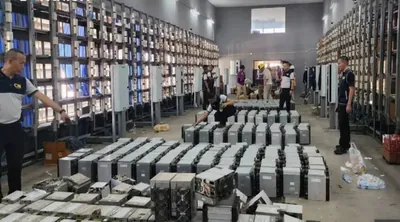
For examples of risks from spreading stolen data and fake accounts, see the investigation of a fake crypto account network uncovered after the Omnera USD fraud, as well as materials on the shutdown of underground mining farms showing possible consequences of equipment and account compromise shutdown of underground mining farm. Vulnerabilities in platforms and software, such as the React2Shell vulnerability, can also be exploited by attackers to spread malicious components.